
Volume 1, Issue 1
Publication Date: February 10, 2026
Table of Contents
Introduction
- Purchasing to Procurement Services
- Meet the Team
Updates
- E&I Cooperative Services visits Marshall University
- Preferred Copier Paper
- Preferred Bottled Gas
Helpful Info
- When Can I Use My Pcard?
- Non-Catalog Order Checklist
- Catalog Order Checklist
- Catalog Supplier List
- Training
Purchasing to Procurement Services
As a part of our continued growth and to better align with services provided, the Office of Purchasing has changed our name to Procurement Services.
But don’t worry! Our department remains the same in our initiatives.
“Procurement Services is responsible for procuring goods, services, and commodities for the University in a prompt, effective, and compliant manner which coincides with State Code, the Board of Governors, and current purchasing regulations. We work within the boundaries of the profession to continuously seek innovative and efficient processes that facilitate the acquisition process. Staff members assist customers in obtaining products and services from appropriate sources at the lowest total cost while ensuring best overall value. We will continue to create and maintain cooperative relationships and apply sound business practices.”
We look forward to working with you!
Meet the Team
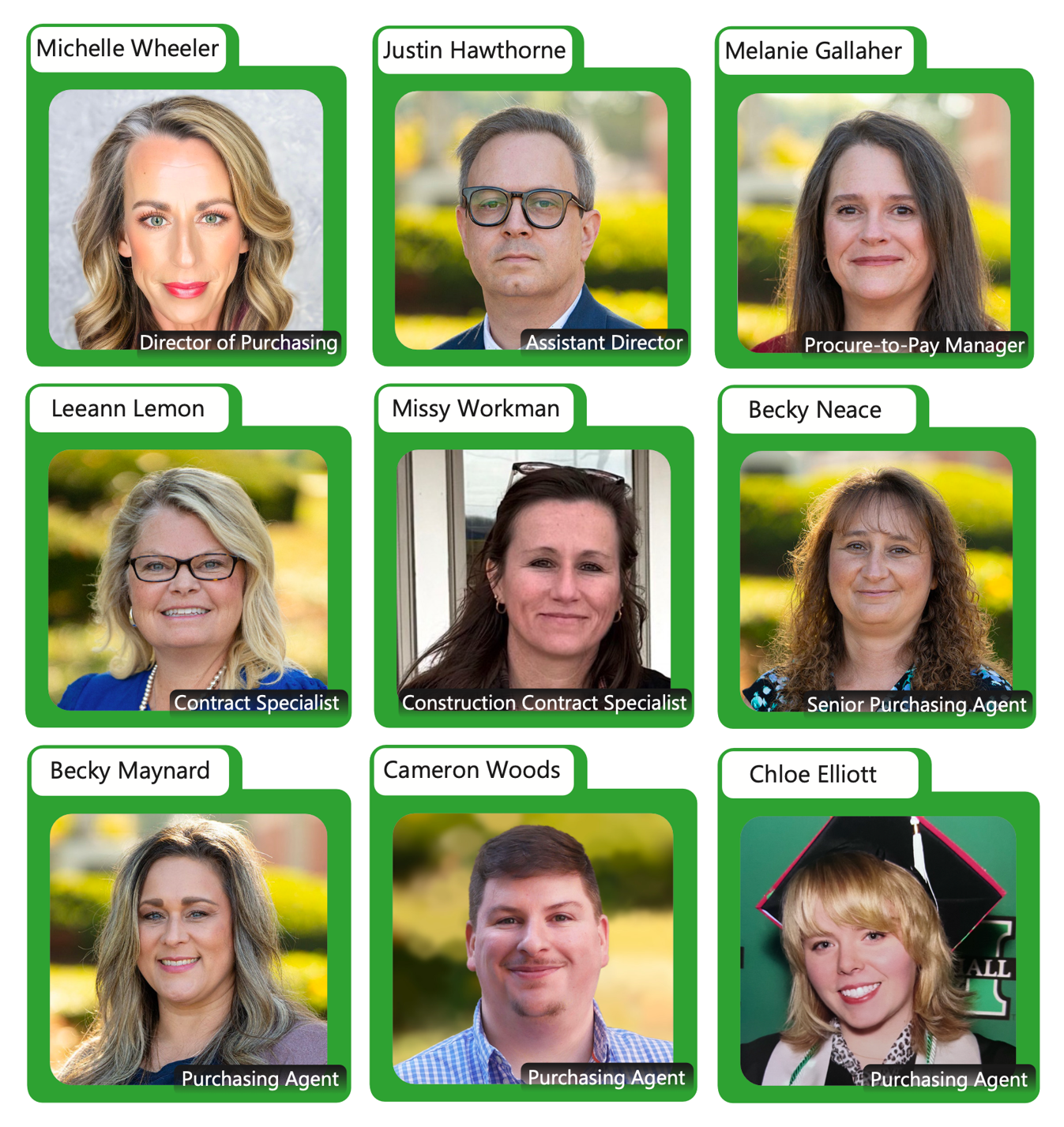
For individual contact information, visit Procurement Services Staff
E&I Cooperative Services Visits Marshall University
January 21-22, 2025
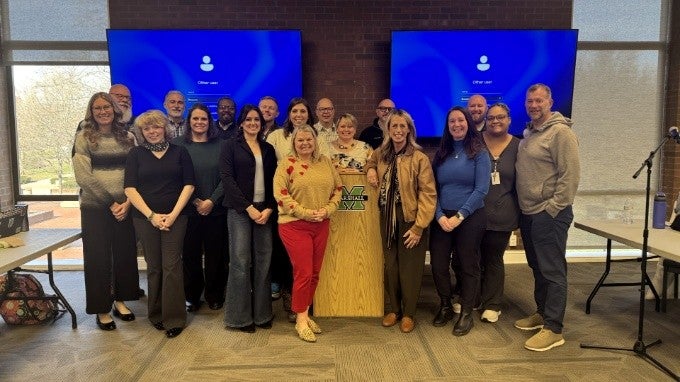
E&I Cooperative Services has been a strong force in the world of solutions and services for education since 1934. Their insights on cost reduction, cost avoidance, incentives, and much more have helped Marshall University for 54 years. E&I team members, Sharol McHenry (Sourcing Consultant), Nate Termaat (Facilities, Construction & Energy Business Development Executive), Joe Castelluccio (Director of Business Development), and Jessica Biron (Business Development Executive – Technology) visited Marshall University staff from Facilities and Operations, IT, Procurement, and Housing and Residence Life to share accomplishments and projects that can continue to help us progress in our mission.
We thank E&I for their continuous support and coming to speak with us in-person.
- For any questions or concerns relating to Marshalls’ cooperative contracts with E&I, please reach out to Sharol McHenry | smchenry@eandi.org.
- For general interests, please create an account on E&I’s website to view all of your solution needs.
Stationers – Preferred Copier Paper
EXCLUSIVE OFFER! FAST DELIVERY!
We’re excited to announce our partnership with Stationers for many of our office supply needs. Currently, Stationers is our preferred supplier for copier paper.
To get special pricing on your paper needs- please use the codes listed in your Procurement Services newsletter email.
Linde Gas – Preferred Bottled Gas
As a part of President Smiths Save to Serve initiative, Linde Gas has been our preferred supplier for bottled gas since April 1, 2025. They specialize in supporting universities of all sizes by providing outstanding customer service and tailored programs designed for research facilities.
- Linde Gas offers a variety of natural gas products through their Marketplace punchout Catalog.
When can I use my P-card?
As of July 1, 2025, departmental P-cards should only be used for emergencies and/or travel expenses.
What’s considered an emergency?
- Bad weather
- Natural disasters
- A threat to life, safety, and/or health
- Disruption of operating systems (HVAC, Roofs, Software)
What does travel expenses fall under?
- Hotel
- Car Rental
- Taxi/Shuttle
- Meals
- Registration Fees
- Baggage Fees
- Memberships with an approved Encumbrance
Non-Catalog Order Checklist
If you’re not sure you have everything you need in order to enter a Non-Catalog order, here is a helpful step-by-step checklist guide.
1. Preparation
- Confirm you have access to Marshall Marketplace and are an authorized user. If you do not, contact Melanie Gallaher to schedule training.
- Confirm the supplier is registered in Marshall Marketplace. If not, submit a Supplier Request to Justin Hawthorne and Melanie Gallaher to register supplier before proceeding.
- Identify the item(s) needed and confirm they are not available in the punchout catalog.
- Obtain at least one quote or pricing for the goods/services. If the cost exceeds $25,000, solicit at least three quotes. The quotes shall be attached as supporting documentation in the requisition. If competitive quotes were not obtained please provide the approved Direct Award Form or confirm services/goods are on essential services list.
2. Gather
- Gather necessary forms, account codes, delivery addresses, and approval information.
- Quote/proposal
- BOG48/HR (Independent Contractor Agreement)
- Competitive quotes (required if over $25k)
- Direct Award (required is competitive quotes weren’t provided)
- After the Fact/Noncompliant Purchase Form (required for any good/service rendered prior to a purchase order being executed)
3. Entering the Noncatalog Order
- Log in to Marshall Marketplace.
- Select “Create Noncatalog Order” from the menu.
- Search for and select the supplier. If the supplier is not listed, complete the registration process first.
- Enter item details: description, quantity, unit price, and any special instructions (e.g., pickup arrangements).
- Attach the quote(s) and any supporting documentation covered in step 2.
- Enter required accounting codes (FOAPAL or equivalent).
- If justification information is being flagged, please take precautions and read what it is being flagged for. There are certain requirements for each question. If you do not have what is required, please do not try to bypass and enter the requisition into Marketplace until you have everything that is necessary.
- Confirm delivery address and contact information.
- Add any necessary comments or instructions for the supplier.
- Review all entered information for accuracy and ensure all required fields and attachments are complete.
- Submit the requisition for approval.
4. Approvals
- Monitor the approval workflow to ensure all required approvers (department, budget, procurement) have reviewed and approved the order.
- Plesae respond promptly to any requests for additional information or corrections.
5. Order Confirmation
- Once approved, confirm the purchase order (PO) or contract has been issued to the supplier.
- Save the PO/contract for your records.
6. Receiving
- Upon delivery, inspect items for accuracy and condition.
- Complete the receiving process in Marshall Marketplace to confirm receipt.
- Report any discrepancies or issues to Procurement Services immediately.
7. Documentation & Compliance
- Retain all order documentation for audit purposes.
- Ensure compliance with university purchasing policies and procedures.
- Do not use a PCard for state purchases unless it is an emergency or travel related expense and approved by Procurement Services.
Tips
- For technology, vehicle, or real estate purchases, follow additional university-specific procedures.
- For emergency purchases, document the justification and follow expedited approval processes.
- If you need help with entering a Non-catalog order, contact Procurement for assistance.
Catalog Order Checklist
If you’re not sure you have everything you need in order to enter a Catalog order, here is a helpful step-by-step checklist guide.
1. Preparation
- Confirm you have access to Marshall Marketplace and are an authorized user. If you do not, contact Melanie Gallaher.
- Identify the supplier(s) needed and confirm they are available in the marketplace. If not, submit a Supplier Request to Justin Hawthorne or Melanie Gallaher to register the supplier before proceeding.
- Identify the item(s) needed and confirm they are available in the punchout catalog.
• Gather any necessary account codes, delivery addresses, and approval information.
2. Entering the Catalog Order
- Log in to Marshall Marketplace.
- Select the appropriate punchout catalog for your supplier.
- Search for the item(s) and add them to your shopping cart.
- Review item descriptions, quantities, and pricing.
- Proceed to checkout and return the cart to Marshall Marketplace.
3. Completing the Requisition
- Review the returned cart in Marshall Marketplace.
- Confirm delivery addressand contact information.
- Enter required accounting codes(FOAPAL or equivalent).
- Attach any supporting documentation(quotes, specifications, etc.), if required.
- Add any necessary comments or instructions for the supplier in the Special Instructions box. These comments should only be for the supplier, not the Procurement office.
- Submit the requisition for approval once everything required is finished.
4. Approvals
- Monitor the approval workflow to ensure all required approvers have reviewed and approved the order.
- Please respond promptly to any requests for additional information or corrections.
5. Order Confirmation
- Once approved, confirm the order has been placed with the supplier.
- Save the order confirmation for your records.
6. Receiving
- Upon delivery, inspect items for accuracy and condition.
- Complete the receiving processin Marshall Marketplace to confirm receipt.
- Report any discrepancies or issues to Procurement Services immediately.
7. Documentation & Compliance
- Retain all order documentation for audit purposes.
- Ensure compliance with university purchasing policies and procedures.
- Do not use a PCard for state purchases unless it is an emergency or a travel related expense and approved by Purchasing.
Tips
- For technology purchases, follow additional university-specific procedures.
- For emergency purchases, document the justification and follow expedited approval processes. If items are not available in the Catalog, use the Non-Catalog requisition form.
Marshall Marketplace Catalog Supplier List
Catalog – Products that have a built-in market in Marshall Marketplace or in their own punch-out website with special pricing. High volume, low dollar transactions.
Non-Catalog – Products that must have a quote and are outsourced from the suppliers’ separate website.
As of January 8, 2026
|
|
Need a refresher training?
Please reach out to our Procure-to-Pay Manager
Melanie Gallaher | gallahe1@marshall.edu to schedule a meeting.
Our training videos for creating Catalog orders and receiving them will be live soon! These will always be accessible through theMarketplace Learning Center quicklinks.
Click “Learning Center” on the bottom left in Marketplace to access quicklinks.