
Fix Your Content Day
Fix Your Content Day
On Tuesday, November 10th, Marshall University will join institutions worldwide for Blackboard’s Fix Your Content Day 2026. Each accessibility “fix” you make in your course through Blackboard’s Ally tool during this 24-hour competition moves Marshall up the leaderboard.
Why participate? This competition is a chance to gain critical momentum toward WCAG 2.1 AA standards in line with Marshall’s Digital Accessibility Policy and our institutional commitment to fostering an equitable digital environment for all. Marshall is opening all spring Blackboard course shells early so that instructors can get a head start on making their courses as accessible as possible before the semester
How to Participate
Join us in Drinko 349 or on Teams as we host workshops presented by Marshall Online, Marshall University Information Technology, Blackboard, and the College Accessibility Liaisons. Prizes will be raffled throughout the day.
Ways to Participate:
- Live Community (in person or on Teams): Join short accessibility workshops to learn and fix content together.
- Individual Consultation, 11am-2pm: Drop by our support table outside of Drinko 349 for 1:1 assistance from a designer.
- On Your Own: Commit some time to “fixing” your digital content–making it accessible–in Ally. Use Ally’s Accessibility Report to update content in your course.
You’re invited! Please RSVP to let us know you are participating:
Workshop Schedule
9:00–9:45 a.m. | Fix Your Content Day Kick-Off, Academic Affairs + Marshall Online. Grab a coffee and get ready to fix! We’ll introduce the day, explain how to participate in Fix Sprints, and the FYCD global accessibility challenge—just in time to update your spring courses to meet digital accessibility standards. Then we’ll head into Blackboard for a hands-on start, including copying a spring course, finding your Ally Course Accessibility Report, and identifying quick fixes you can tackle right away. Bring: A Blackboard course you plan to teach or adapt for spring.
- 9:45–10:00 a.m. | Fix Sprint 1 Put what you just learned into practice. Fix content, get help, or take a break. We’ll check the leaderboard and give out a prize.
10:00–11:00 a.m. | Beyond Compliance: What Students Experience, Aaron Preece, Editorial Lead of AccessWorld, published by American Foundation for the Blind publication. This workshop features a live screen reader demonstration to illustrate how students experience accessible and inaccessible course materials, reviews alt text requirements and common accessibility barriers, and concludes with faculty Q&A. Bring: Your questions.
11:00–11:45 a.m. | Built-In Accessibility Meets AI Assistance: Microsoft & Adobe
Explore accessibility tools in Microsoft Word, PowerPoint, and Adobe Acrobat, along with ways Copilot can support the accessibility process. Bring: Word document, PowerPoint, or PDF and apply what you learn to your own materials.
- 11:45 a.m.–12:00 p.m. | Fix Sprint 2
12:00–1:00 p.m. | Blackboard Ally Quick Wins: Lunch & Learn. Eddie Randall, Blackboard Senior Solutions Engineer. Dig into some of the accessibility challenges faculty encounter most often, including tables, PDFs, and alternative text. Learn practical approaches for improving content with Blackboard Ally and bring your questions for an open Q&A. Bring: Your questions or a Blackboard accessibility challenge you have been trying to solve. Lunch has limited seats. RSVP here to save your spot.
1:00–2:00 p.m. | Pause & Paws: Fix Sprint 3. Marshall Online + MU Information Technology + MU Paws Fix. Get help. Pet a therapy dog. Repeat. Drop in anytime during this one-hour working session for individual help with your course content. Bring: Any course content you want to work on, including Blackboard content, Word documents, PowerPoints, PDFs, images, or other digital materials.
2:00–3:15 p.m. | Accessibility Liaison Lightning Talks, College Accessibility Liaisons. Get practical ideas you can take back to your own courses. Marshall Online’s College Accessibility Liaisons will share the resources they developed around specific accessibility challenges and audiences, what they learned in the process, and how you can use their work. Bring: Your questions, ideas, and an accessibility challenge you would like help solving.
3:15–3:30 p.m. | Accessibility vs. Accommodations, Stephanie Ballou, Director of the Office of Accessibility and Accommodations. What is the difference between making a course accessible and providing an individual accommodation? Learn how the Office of Accessibility and Accommodations supports students, where proactive accessibility fits in, and when an EEAAP may be needed. Bring: Your questions.
- 3:30 p.m.–4:00 p.m. | Fix Sprint 4
4:00 p.m. | Leaderboard Check + Celebration. Let’s see what we accomplished together. We’ll check the final leaderboard, recognize participants, and wrap up with prizes.
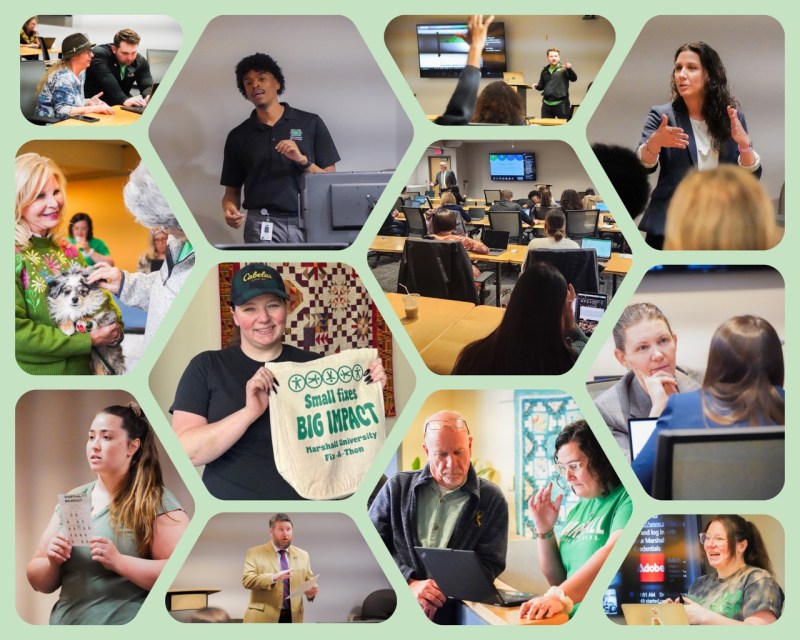
FYCD 2025

Digital Accessibility Resources
- Explore Digital Accessibility for Faculty, including college-specific resource created by the faculty accessibility liaisons.
- Find your College Accessibility Liaison.
- Learn what offices are involved with Digital Accessibility and UDL at Marshall.