Digital Accessibility Fix-A-Thon

Share

DON’T PANIC!    Marshall needs to comply with federal digital accessibility standards by April 24, 2026, and we are here to support you! Join us for Marshalls Digital Accessibility Fix-a-Thon – a day of quick-fix workshops and drop-in help sessions hosted by Marshall Online, MUIT, Blackboard, CTL, and Adobe.

This event will be both in-person and on Teams. 

Drop-In Help Table: 1-4pm outside Drinko 349 to get one-on-one accessibility help.

Please see the website below or attached flyer for the Fix-a-Thon schedule:

https://events.marshall.edu/event/digital-accessibility-fix-a-thon
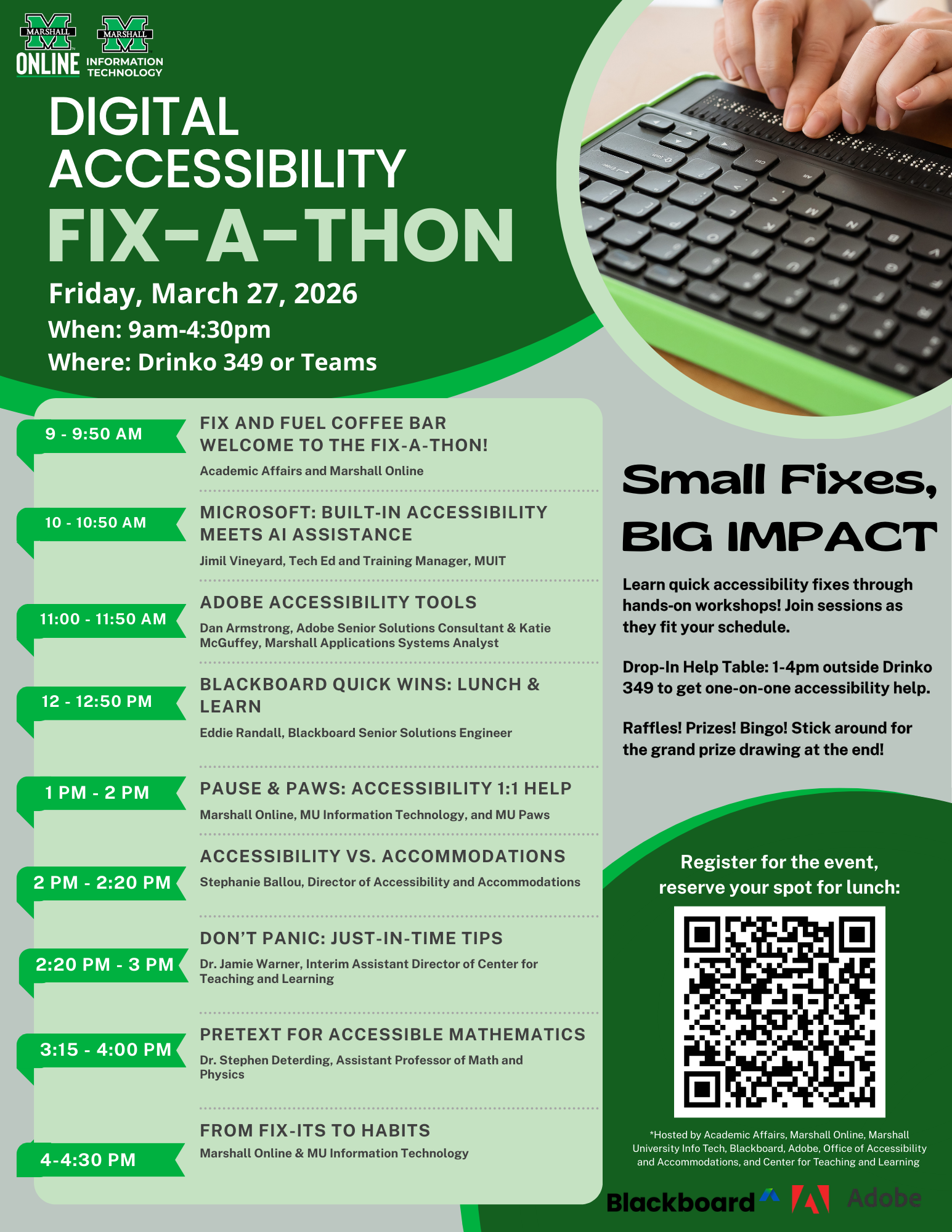
FULL SCHEDULE

Drop into sessions as your schedule allows.

9-9:50 Fix and Fuel Coffee Bar, Welcome to the Fix-a-Thon! (Academic Affairs and Marshall Online)Enjoy coffee and refreshments while we discuss federal digital accessibility standards and how to get the most out of the Fix-a-Thon.

10-10:50 Microsoft: Built-In Accessibility Meets AI Assistance (Jimil Vineyard, Tech Ed Training Manager, MUIT): Learn how to use Microsoft's core accessibility tools, including Copilot, and strengthen accuracy through human oversight.

11-11:50 Adobe Accessibility Tools (Dan Armstrong, Adobe Senior Solutions Consultant and Katie McGuffey, Marshall Applications Systems Analyst): Learn new and exciting ways to integrate Adobe Accessibility tools into your workflow. Find out more about Adobe Acrobat's Accessibility tools.

12-1 Blackboard Ally Quick Wins: Lunch and Learn (Eddie Randall, Blackboard Senior Solutions Engineer): Learn Blackboard Ally quick fixes for challenging tables, PDFs, and alt text. Lunch hosted by Blackboard (seats limited).

1-2 Pause and Paws: Accessibility 1:1 Help (Marshall Online, MU Info Tech, MU Paws) Drop in for quick one-on-one help. Pet a therapy dog. Repeat.

2-2:20 Accessibility vs. Accommodations (Stephanie Ballou, Director of Office of Accessibility and Accommodations) Learn how our office supports digital accessibility, the difference between accommodations and broader access, and how to know when a student needs an EEAAP.

2:20-3:00 Don't Panic: Just-in-Time Tips (Dr. Jamie Warner, Interim Assistant Director of Center for Teaching and Learning) Not sure where to begin? This session walks through high-impact accessibility fixes using a just-in-time checklist.

3:15-4:00 PreTeXt for Accessible Mathematics (Dr. Stephen Deterding, Assistant Professor of Math and Physics) Learn how to create and convert documents with mathematical equations and formulas to accessible HTML, PDF, and even Braille. Participants should create a free account at www.github.com prior to the workshop.

4:00-4:30 From Fix-Its to Habits (Marshall Online and MU Information Technology) We'll summarize resources from the day and answer questions.

Recent Releases